Capella App Services · Couchbase · Capella
Turning a CLI-only sync backend into a console developers can set up in minutes.
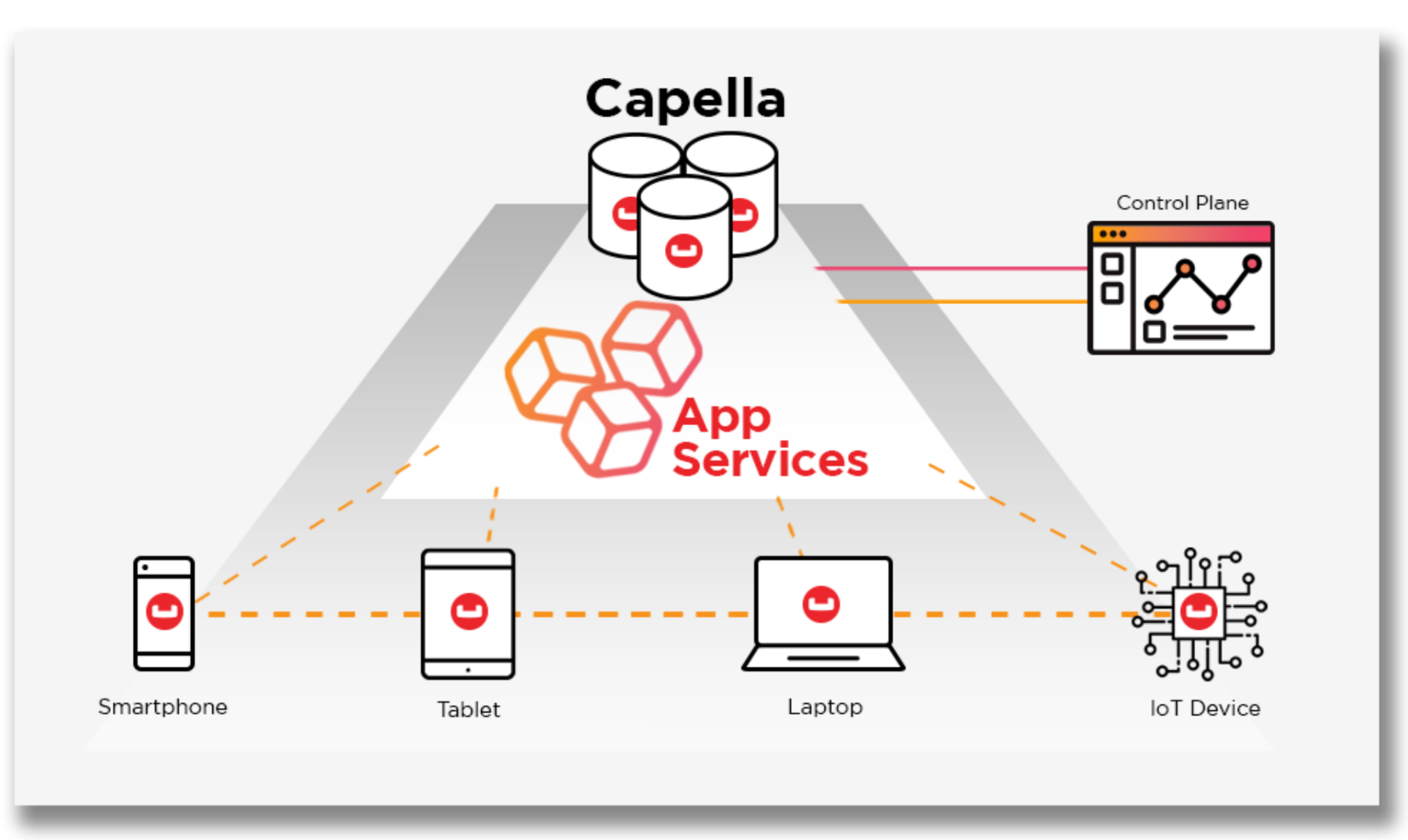
As acting head of design, I led the move from script-driven configuration to a guided web console for Capella App Services, Couchbase's managed offline-first sync backend.
Executive snapshot
- Product
- Couchbase Capella App Services
- My role
- Acting VP / Head of Design
- Users
- Enterprise mobile and IoT developers, architects
- Research
- Workflow analysis with 15+ enterprise architects
- Focus
- Offline-first edge sync, access control, observability
- Partners
- Backend engineering, cloud operations, product leadership
01 · The stakes
Powerful technology, hard to adopt.
App Services syncs data between Couchbase clusters and mobile or edge apps, even through long network outages. But setup relied on CLI scripts and deep distributed-systems knowledge.
To grow adoption, Couchbase needed developers to get from sign-up to a working sync endpoint without a DevOps project.
02 · My leadership contribution
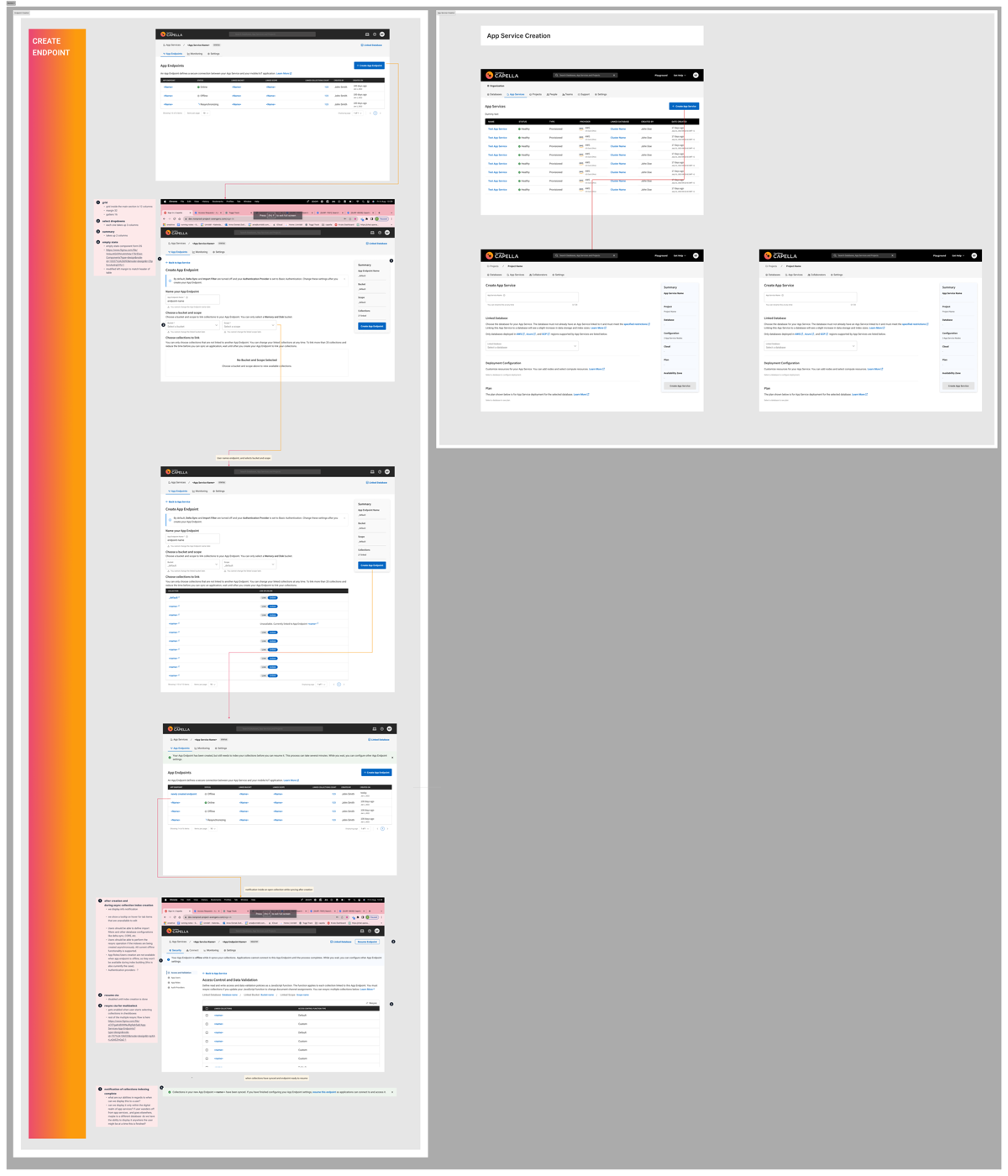
Lead design for the App Services console and represent design in product leadership.
- Team & collaboration model
- Led the design function in an acting head-of-design capacity; set priorities and review standards for the team.
- Key decision
- Design the console around the developer's mental model of data flow, not the internal service topology.
- Stakeholder challenge
- Aligned backend engineering, cloud operations and product on replacing scripts with point-and-click governance.
- Operating rhythm
- Joint API and UX reviews with systems engineers so the console could show real-time state without extra backend work.
03 · Research & insight
What we learned before we designed.
Time to integration was the adoption gate
Architects said multi-week setup cycles stopped evaluations before they started.
Conflict resolution felt like a black box
Developers did not trust sync they could not see.
Security mistakes were easy to make
Access rules and channel routing lived in config files with no guard rails.
04 · Decision stories
The calls that shaped the product.
Each decision follows the same path: signal, insight, options, decision, trade-off, outcome.
Decision 01
Show sync as a visible flow
- Signal
Developers could not tell what the sync engine was doing.
- Insight
Their mental model was a data pipeline, not cluster internals.
- Options
Expose raw logs; or visualise the bidirectional flow with clear state indicators.
- Decision
Visualise endpoints, channels and conflict rules as one readable flow.
- Trade-off
Needed new API fields from engineering to report state in real time.
- Outcome
Sync configuration became inspectable without reading logs.
Decision 02
Guard rails for access control
- Signal
Misconfigured access rules were a frequent support issue.
- Insight
Most mistakes came from free-form config with no validation.
- Options
Documentation; or structured role and channel editors with validation.
- Decision
Structured access-rule editors with safe defaults and inline warnings.
- Trade-off
Less flexibility for edge cases, which kept an advanced mode.
- Outcome
Fewer configuration-related tickets (reported).


05 · System view
Design shaped by the architecture
Working directly with systems engineers on API payloads meant the console reflected the real system.
App endpoints
Guided creation and sync settings for each mobile or edge app.
Access rules
Role-based security and channel routing with validation.
Cluster settings
Sync gateway tuning for advanced administrators.
The console
Endpoint setup, access rules and cluster tuning in one web console.
- App endpoint orchestration
- Role-based access rules
- Sync gateway settings

06 · Impact
What changed, and how we know.
Every figure is labelled with what it measures. Reported figures are being matched to their original baselines and periods.
07 · Reflection
What I'd do differently at the next scale.
Next time I would run a time-to-first-sync benchmark before and after launch, so the headline improvement has a clean baseline.